WHAT THE GAME IS
Any4 is Quarto: a two-player abstract game on a 4×4 board with sixteen unique pieces. You do not move pieces already on the board — each turn you either choose a piece for your opponent to place, or you place the piece your opponent chose for you.
You play against the computer (offline) or against another person online (Game Center turn-based match). The computer is always Player 2; you are Player 1 unless noted otherwise for online play.
THE SIXTEEN PIECES
Every piece is different. Each has four traits (each trait is one of two values):
• Height: tall or short
• Color: light or dark
• Shape: round or square
• Top: hollow or solid (hollow = indented top; solid = flat top)
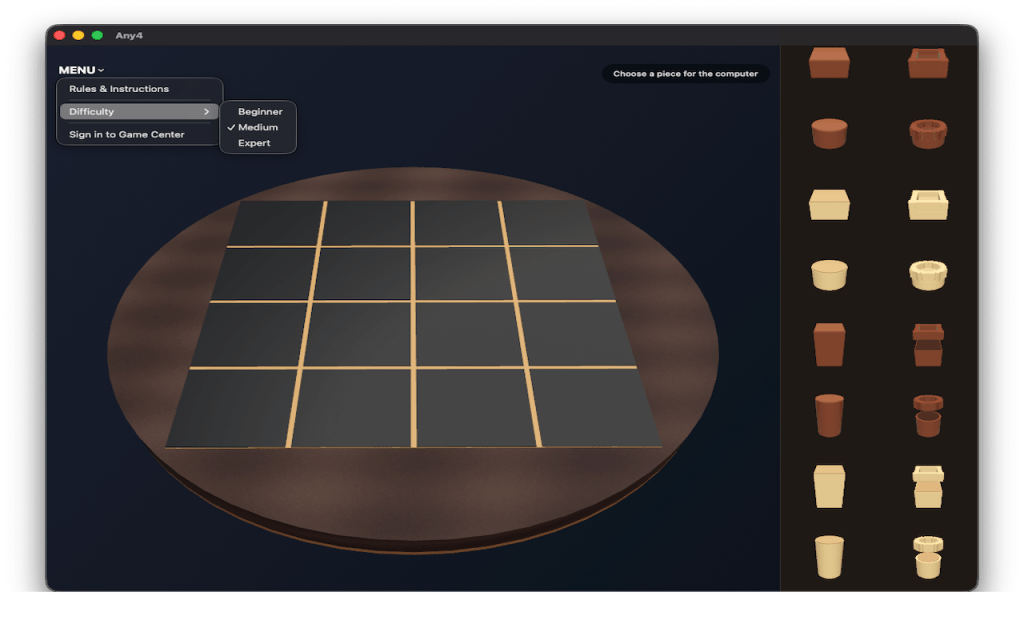
There are 16 combinations — one piece for each. Study the shelf thumbnails to learn how the shapes look in 3D.
HOW A TURN WORKS
The game alternates two steps:
1. CHOOSE (selector’s turn)
The selector picks one unused piece from the shelf and offers it to the opponent. That piece is removed from the shelf and held for placement.
2. PLACE (placer’s turn)
The placer puts that piece on any empty cell of the 4×4 board.
After placement, if the placer has a winning quartet (see below), the placer wins. If all sixteen pieces are on the board and nobody has won, the game is a draw. Otherwise the placer becomes the new selector, and step 1 begins again with the remaining shelf pieces.
OFFLINE VS COMPUTER
• At the start of a new game, you are the selector: you choose a piece for the computer to place.
• After you place, the computer becomes the selector and picks a piece for you.
• The status text at the top of the screen tells you what to do next.
HOW TO WIN
You win by placing the piece (the one your opponent gave you) so that four pieces on the board share one attribute. The four must be in a valid winning group that includes the cell you just filled.
The shared attribute can be any one of:
• All four tall, or all four short
• All four light, or all four dark
• All four round, or all four square
• All four hollow tops, or all four solid tops
WINNING GROUPS — BY DIFFICULTY
Beginner and Medium — four in a row only:
• Any horizontal row (4 cells)
• Any vertical column (4 cells)
• Either main diagonal (4 cells)
Expert — everything above, plus:
• Four in a 2×2 square block (nine possible squares on the grid)
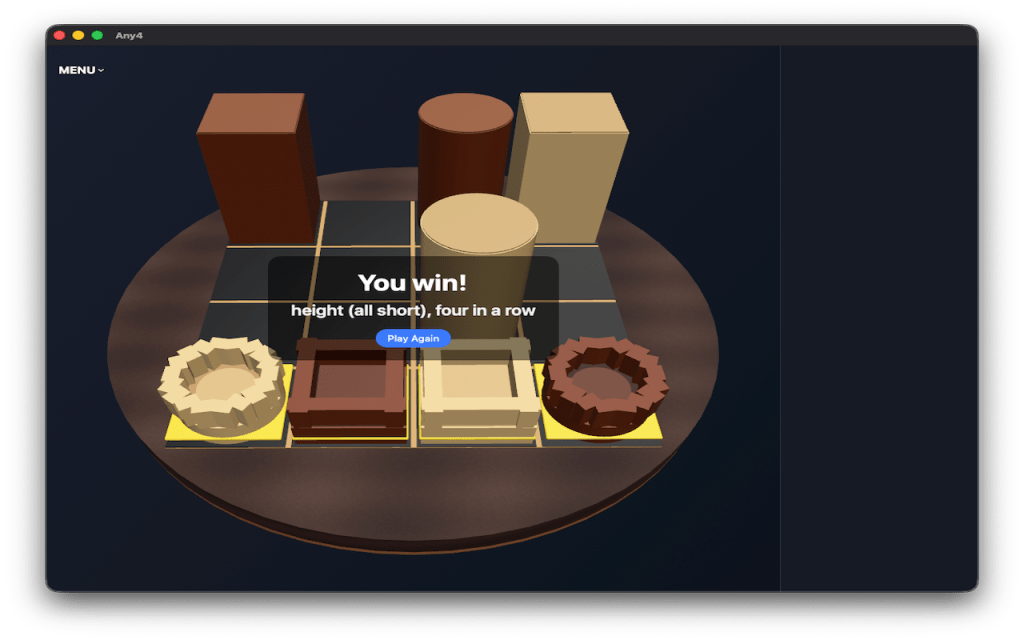
When you win, the app highlights the winning cells and shows a short description (for example, “color (all light), four in a row”).
DIFFICULTY LEVELS (OFFLINE VS COMPUTER)
Open MENU and pick Beginner, Medium, or Expert. Changing difficulty starts a new game.
BEGINNER
• Line wins only (no 2×2 squares).
• Undo: step back through your moves while the game is not over.
• Risk warnings: up to two per game if you offer a piece that would let the computer win on its next placement (line rules only). You can cancel or confirm “Offer anyway.”
MEDIUM (default)
• Line wins only.
• No undo. No risky-piece warnings.
EXPERT
• Line wins and 2×2 square wins.
• No undo. No risky-piece warnings.
ONLINE PLAY
• Always uses Medium rules (line wins only).
• Difficulty picker is hidden during an online match.
• No undo in online games.
SCREEN LAYOUT
• Main area: 3D board (4×4 play area on a wooden disc).
• Shelf: remaining pieces — beside the board in landscape, below in portrait.
• MENU (top-left): difficulty, rules, Game Center, online play, leaderboards, achievements.
• Status pill (top): whose turn it is and what to do.
• When placing: the offered piece appears at the top of the shelf (“Place this piece”).
When the computer is thinking, wait until it finishes.
CONTROLS — OFFLINE VS COMPUTER
CHOOSE A PIECE — tap a piece on the shelf.
PLACE A PIECE
• Mac: click an empty cell on the board. Hover shows the target cell while placing.
• iPhone / iPad: tap an empty cell. Small drags rotate the board; a short tap places the piece.
ROTATE / ZOOM THE BOARD
• Mac: drag to orbit; scroll or pinch to zoom.
• iPhone / iPad: drag to orbit (after ~12 pt of movement); pinch to zoom.
AFTER THE GAME — use Play Again on the board overlay for a new offline game. Online: Play Again or Back to Computer leaves the match.
GAME CENTER (OPTIONAL)
Sign in via MENU. You can play online (turn-based), view leaderboards (wins per difficulty), and earn achievements.
ONLINE: MENU → Play Online → open a match or Find Opponent. Choose shelf pieces and tap the board to place when it is your turn. Play Again or Back to Computer returns to vs computer.
TIPS
• Force a win on your placement step; never offer a piece that lets the opponent win immediately.
• On Expert, watch for 2×2 square threats, not only straight lines.
• On Beginner, use Undo and warnings to learn.
• Empty shelf slots mean those pieces are on the board or currently offered.
QUICK REFERENCE
Level Line wins Square wins Undo Warnings
Beginner Yes No Yes Yes (2/game)
Medium Yes No No No
Expert Yes Yes No No
Online Yes No No No

